Serverless
Serverless is a cloud computing execution model where the cloud provider dynamically manages the allocation and provisioning of servers
available cloud services
- AWS Lambda
- Google Cloud Functions
- Azure Functions
- IBM OpenWhisk
- Alibaba Function Compute
- Iron Functions
- Auth0 Webtask
- Oracle 7n Project
- Kubeles9
- For years our applications have run on servers which we had to patch,update As long as you managed them, the whole responsibility of their proper functioning was on you but every thing changed by serverless you just need upload you app .
let’s look for this advantages:
- using Serverless is reduced cost
- in networking The downside is that Serverless functions are accessed only as private APIs.
- for dependency we must package these dependencies into the application itself,
- Setting up different environments for Serverless is easy
- With Serverless computing, there’s a hard 300-second timeout limit.
- Scaling process for Serverless is automatic and seamless
FaaS
FaaS is an implementation of Serverless architectures where engineers can deploy an individual function or a piece of business logic
Principles of FaaS:
- Complete management of servers
- Invocation based billing
- Event-driven and instantaneously scalabl2
properties of FaaS
- With Serverless, everything is stateless
- Ephemeral
- functions can be invoked directly,
- Scalable by default
- Fully managed by a Cloud vendor
- A Serverless solution consists of a web server, Lambda functions (FaaS), security token service (STS), user authentication and database
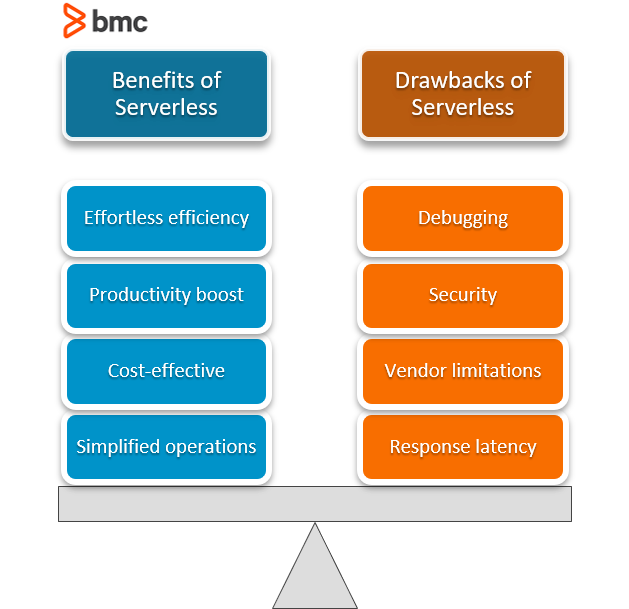
Benefits of Serverless Architecture
Serverless Frameworks
- Serverless Framework (Javascript, Python, Golang)
- Apex (Javascript)
- ClaudiaJS (Javascript)
- Sparta (Golang)
- Gordon (Javascript)
- Zappa (Python)
- Up (Javascript, Python, Golang, Crystal)
AWS Amplify
AWS Amplify is a set of tools and services that can be used together or on their own, to help front-end web and mobile developers build scalable full stack applications
Benefits
- Configure backends fast
- Seamlessly connect frontends
- Deploy in a few clicks
- Easily manage content
API (GRAPHQL)
helps you quickly create backends for your web and mobile applications on AWS. With the GraphQL Transform
define your application’s data model using the GraphQL Schema Definition Language (SDL) and the library handles converting your SDL definition into a set of fully descriptive AWS CloudFormation templates that implement your data model.
Create a GraphQL API
amplify initamplify add api- Select GraphQL
- When asked if you have a schema, say No
- Select one of the default samples; you can change this later
- Choose to edit the schema and it will open the new schema.graphql in your editor
amplify push
for updatting schema amplify api gql-compile then amplify push